9. Monitoring & Insights
What is this step?
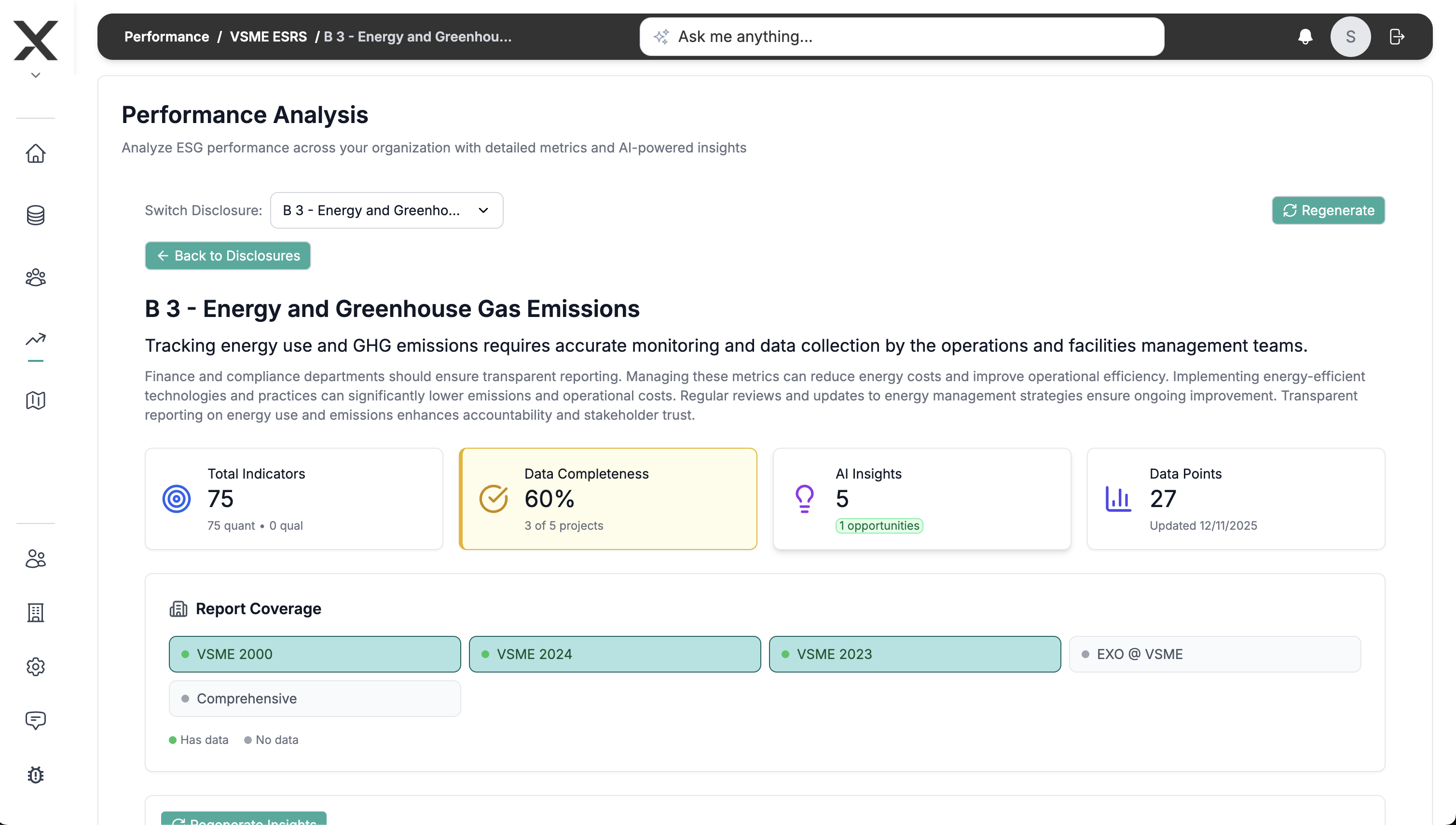
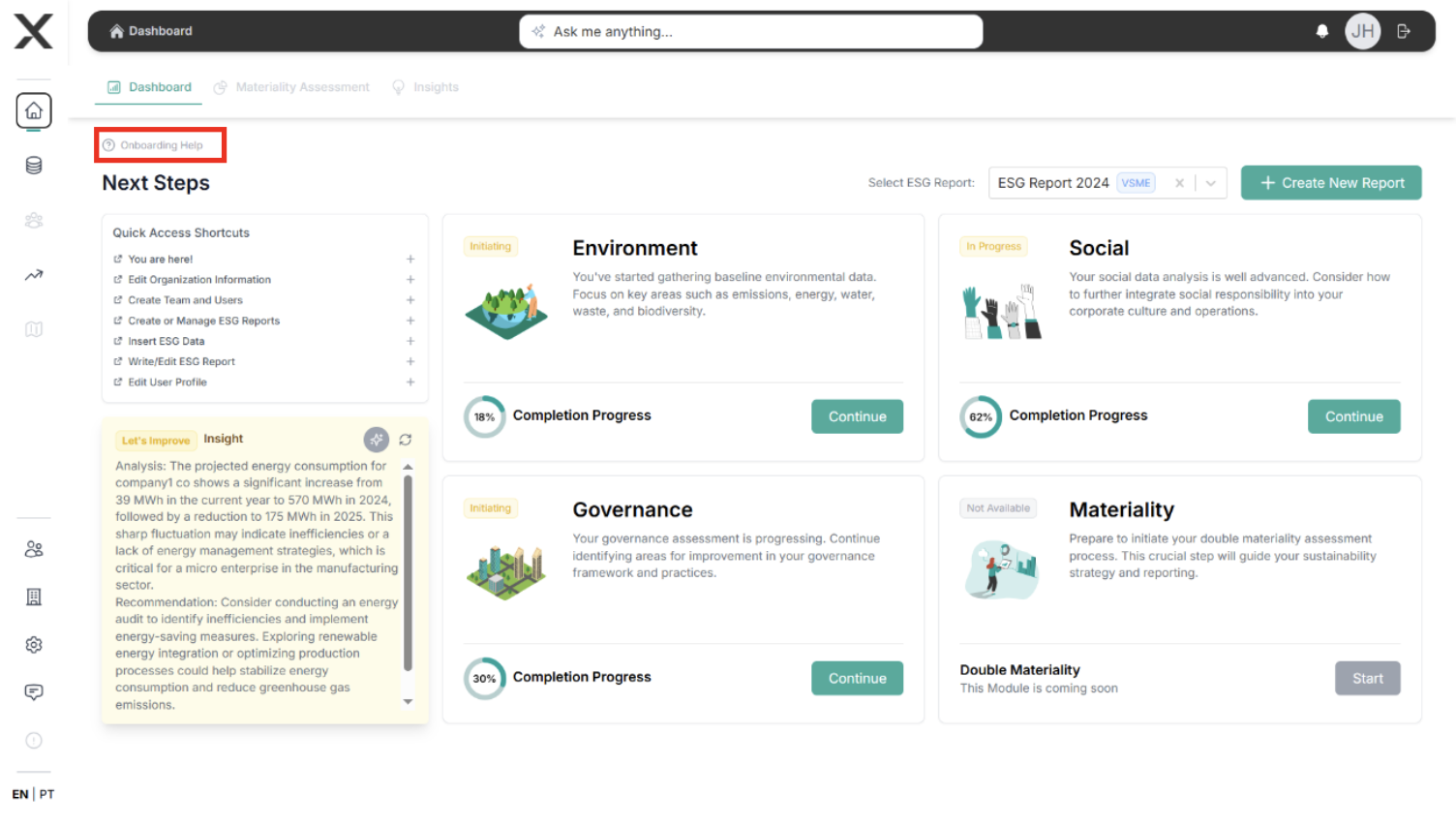
Use the Monitoring & Improvement module (dashboards, AI cards) to understand performance trends, gaps, and recommended next actions before publishing.
How you do it
- Open Monitoring & Improvement once ≥10% of the report is completed.
- Review dashboards for emissions, social metrics, governance indicators.
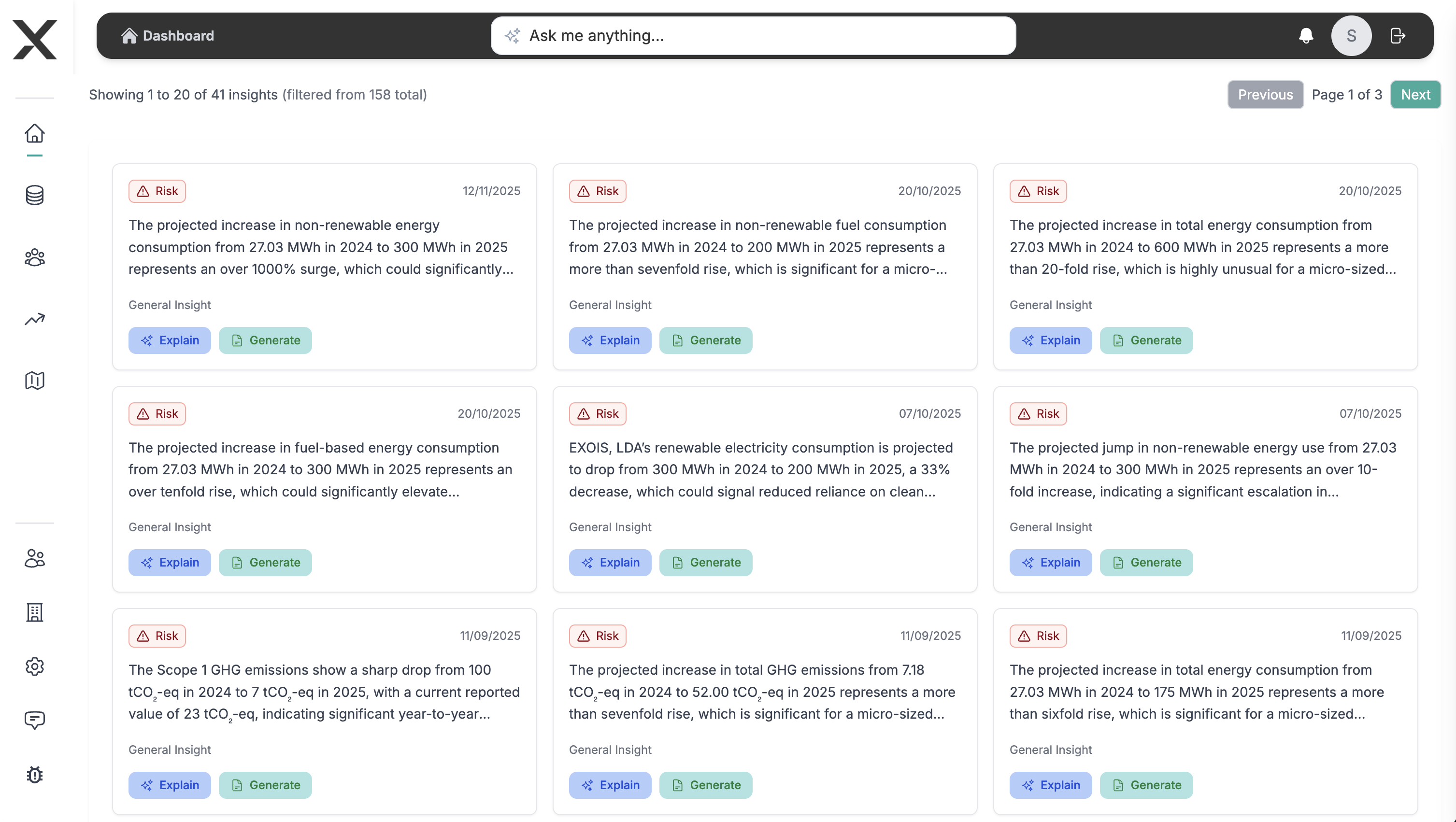
- Check AI-generated insights:
- Trend alerts (up/down vs baseline).
- Suggested mitigation or acceleration tasks.
- Links back to PAT items needing attention.
- Convert insights into roadmap tasks directly from the card.

Why it matters
- Closes the loop between data entry and decision-making.
- Helps you prioritize what must be updated before final report sign-off.
- Provides proof of continuous improvement for investors/auditors.
Main outputs
- Insight cards resolved or converted into roadmap tasks, plus updated dashboard screenshots for the final report annex if needed.