Generating Your ESG Report
Learn how to generate, review, and finalize your ESG report using EXO.G's powerful tools.
Accessing the Report Generator
- After completing your disclosure topics, click Editor to open the ESG Report Assistant.
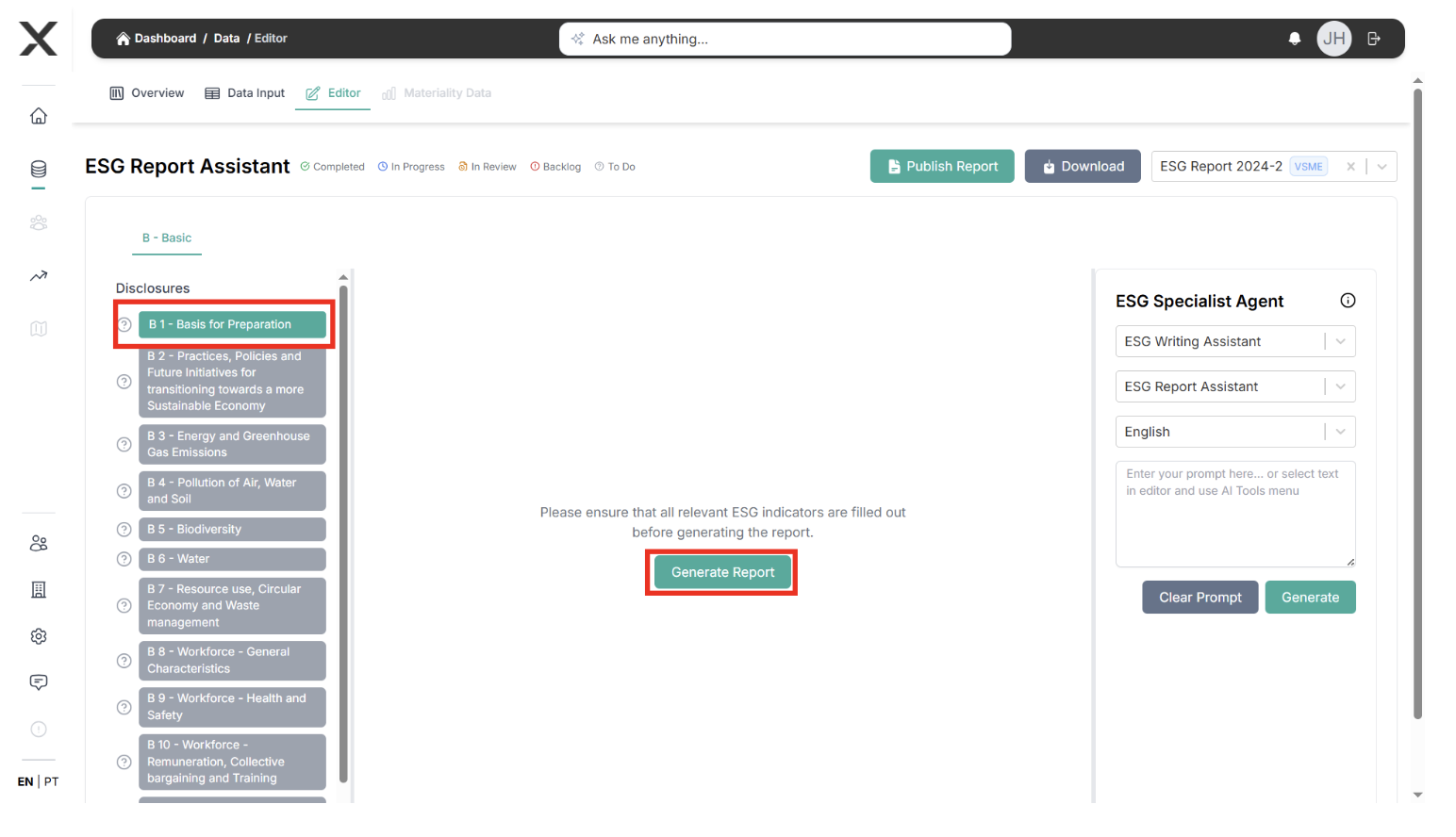
Using the ESG Report Assistant
- Select a disclosure topic to generate the report
- Ensure all relevant ESG indicators are filled
- Review data completeness
Tracking Report Progress
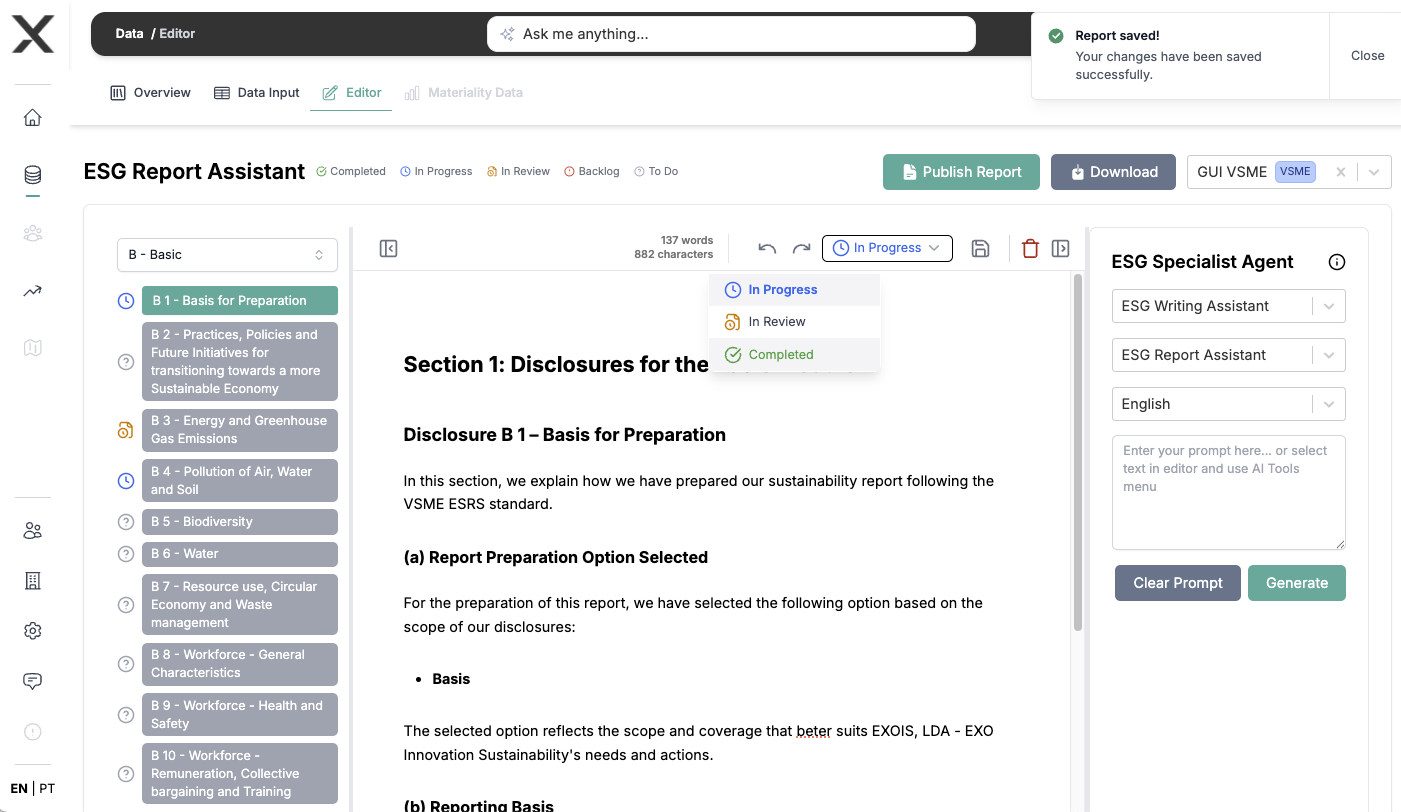
Each report section can be tracked using status indicators:
- Click the status icon next to each section to update its progress:
- To Do: Section not started
- In Progress: Currently being worked on
- In Review: Ready for review by team
- Completed: Section finished and verified
- Backlog: Scheduled for later completion
This helps you and your team:
- Track overall report progress
- Identify sections needing attention
- Coordinate review processes
- Plan work efficiently
- Ensure audit compliance
Editing and Review
-
Review the generated content:
- Confirm data accuracy
- Customize company branding
- Customize formatting
-
Use ESG Specialist Agents for:
- Report analysis
- Data interpretation
- Text improvement
Using AI Tools
Our AI tools help you:
- Improve writing quality
- Fix errors and inconsistencies
- Add content where needed
- Address specific questions or doubts
- Open the AI Toolbar by right-clicking
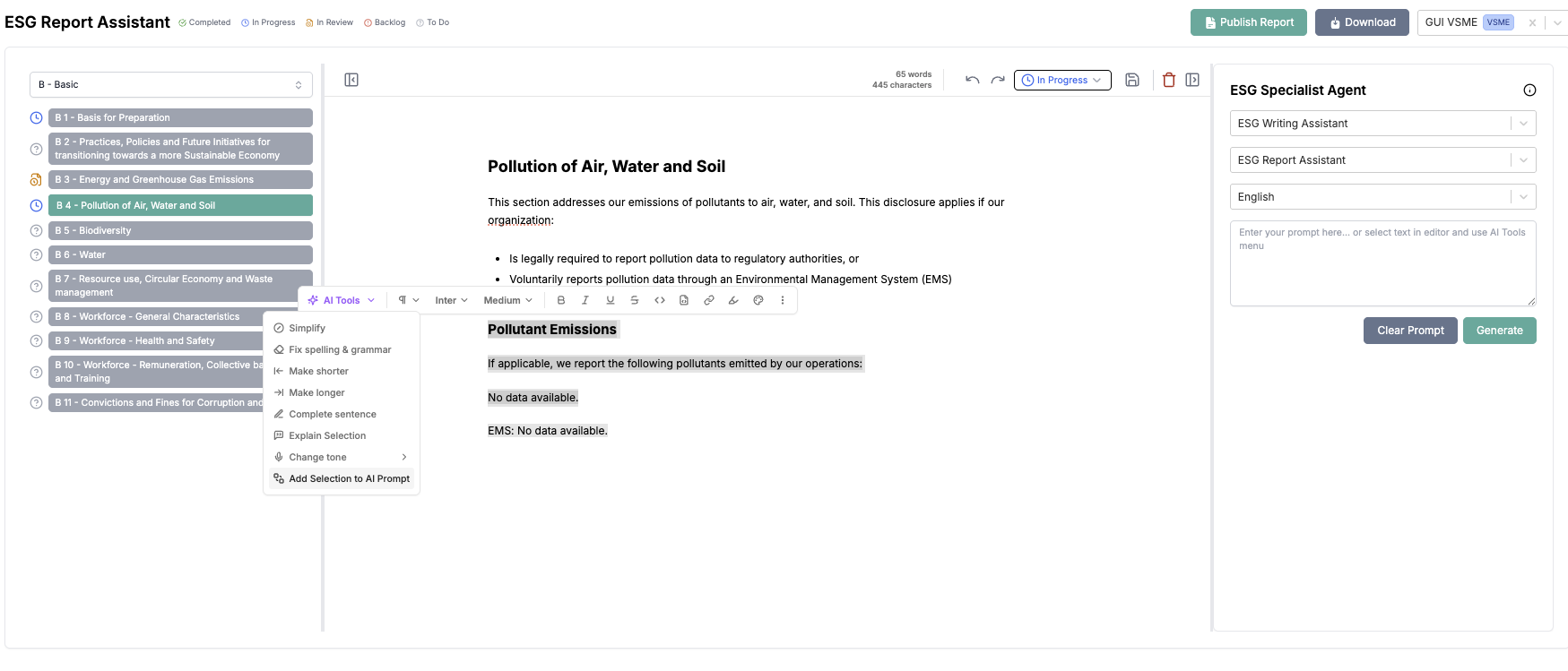
- Choose between many options, such as Add to AI prompt:
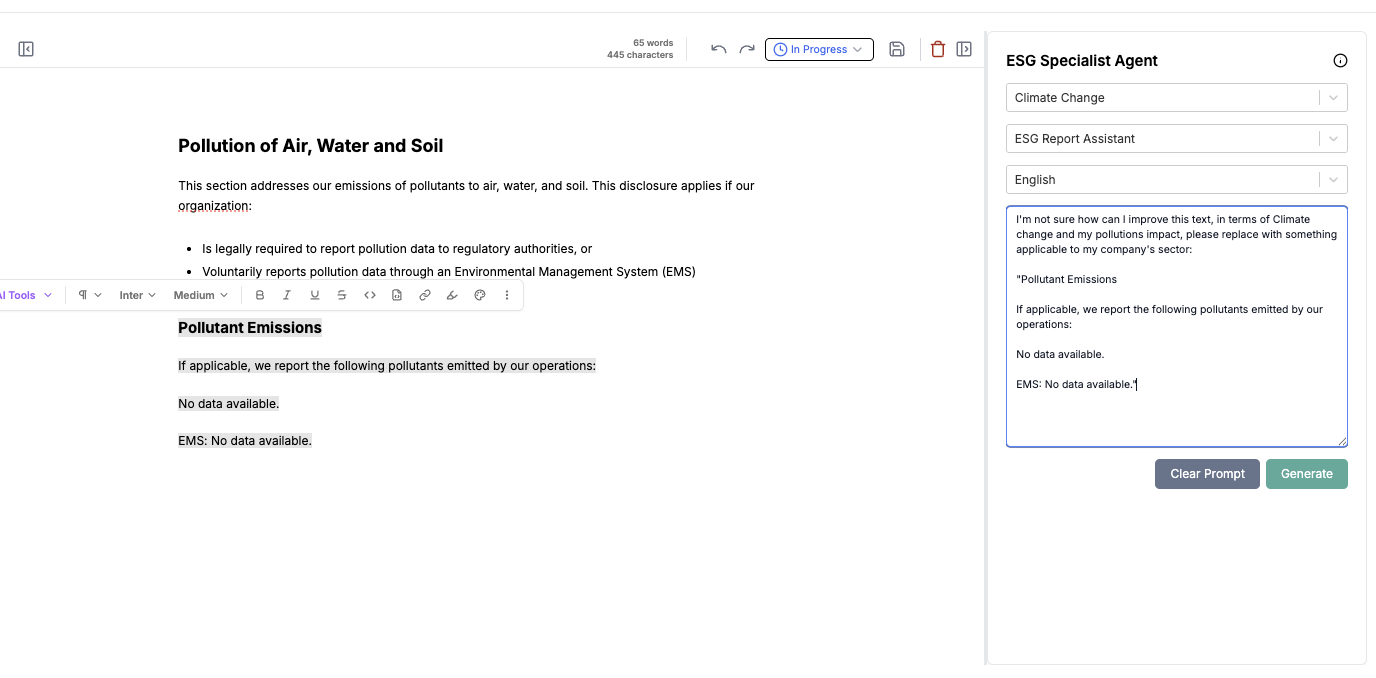
- Choose the most qualified agents, from the options and add a specific task to it and Generate:
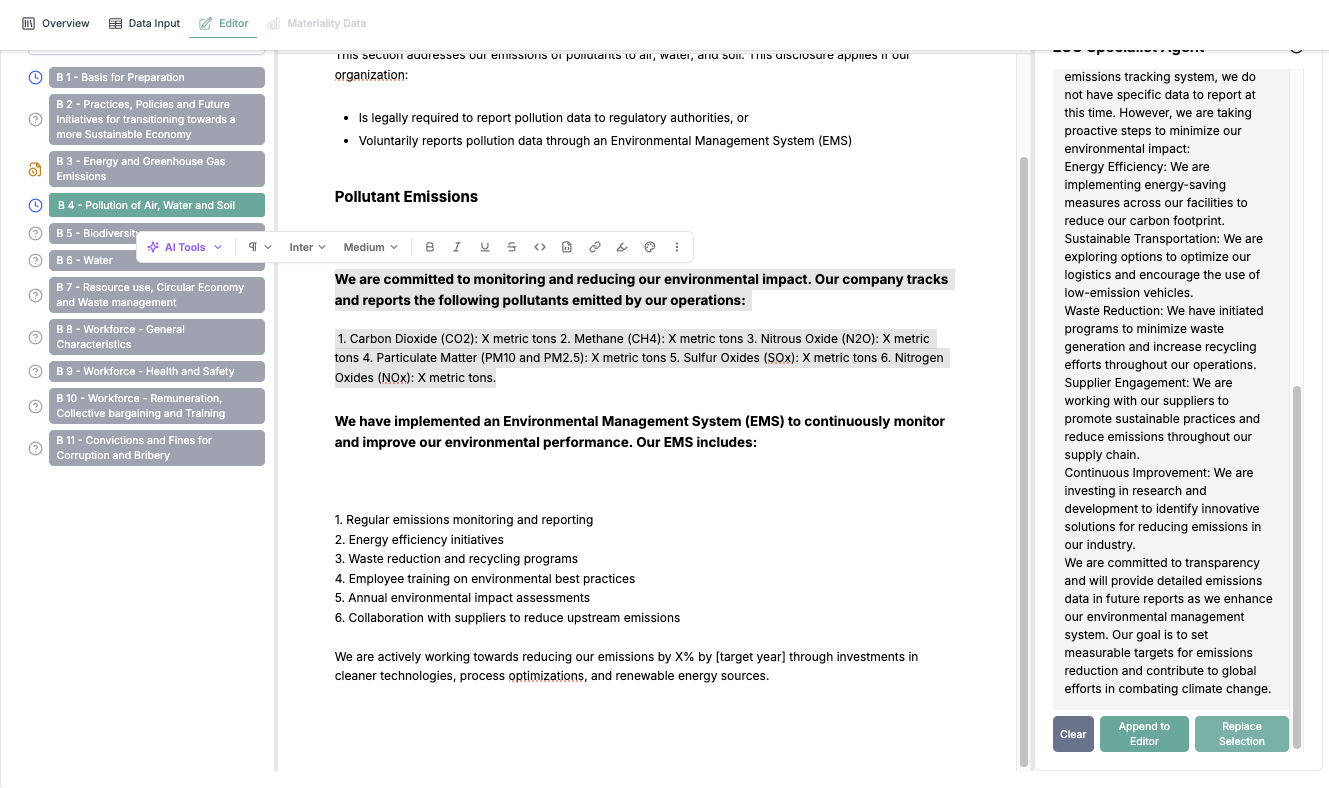
- Choose wether to replace selected text or to append at the report section.
Finalizing Your Report
- After completing all disclosures:
- Review the complete document
- Make final adjustments
If everything is fine and all report sections are completed:
- Click Publish Report to save it securely and trigger the report generation
- Click in Download Report
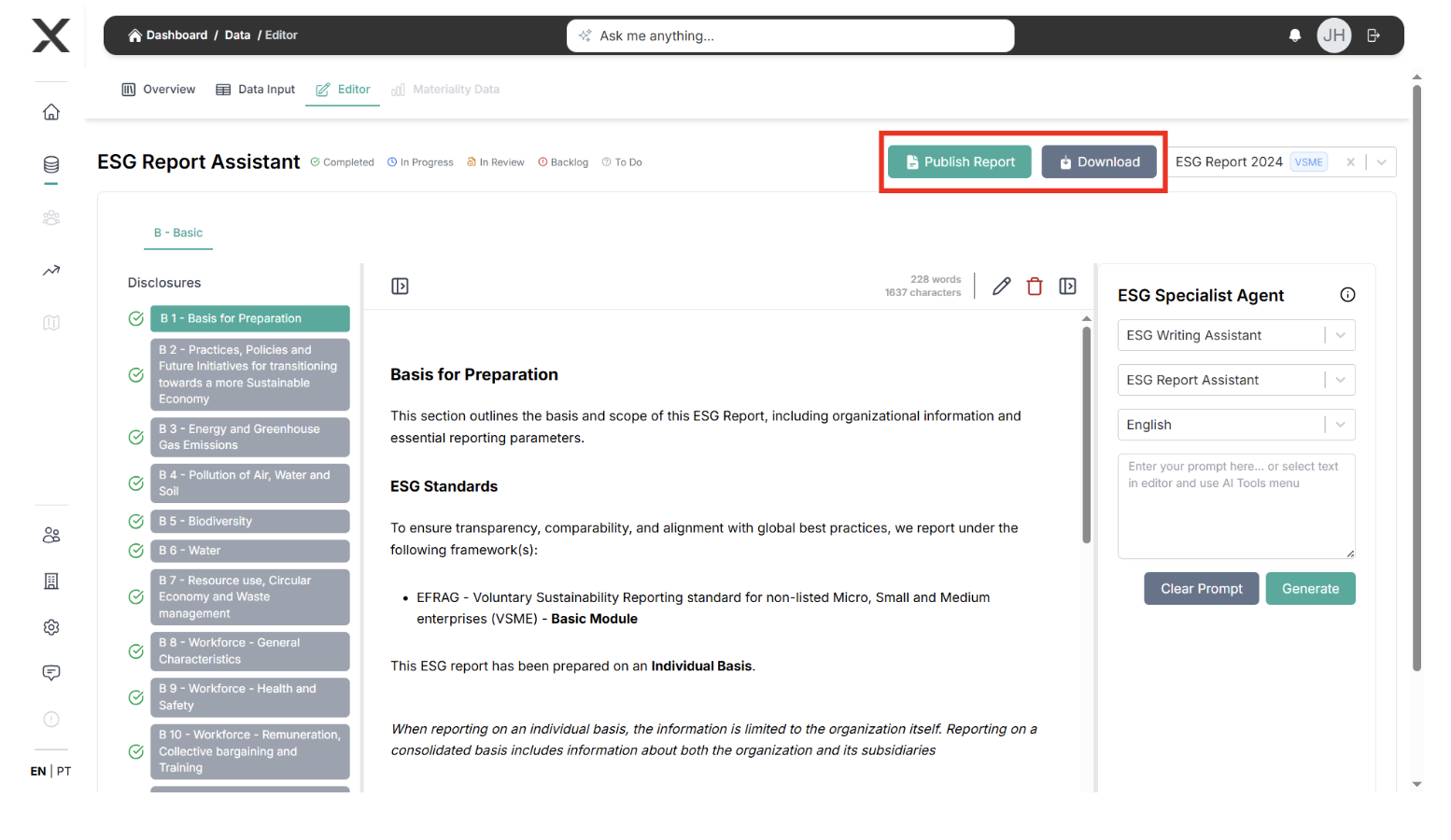
- Publishing options:
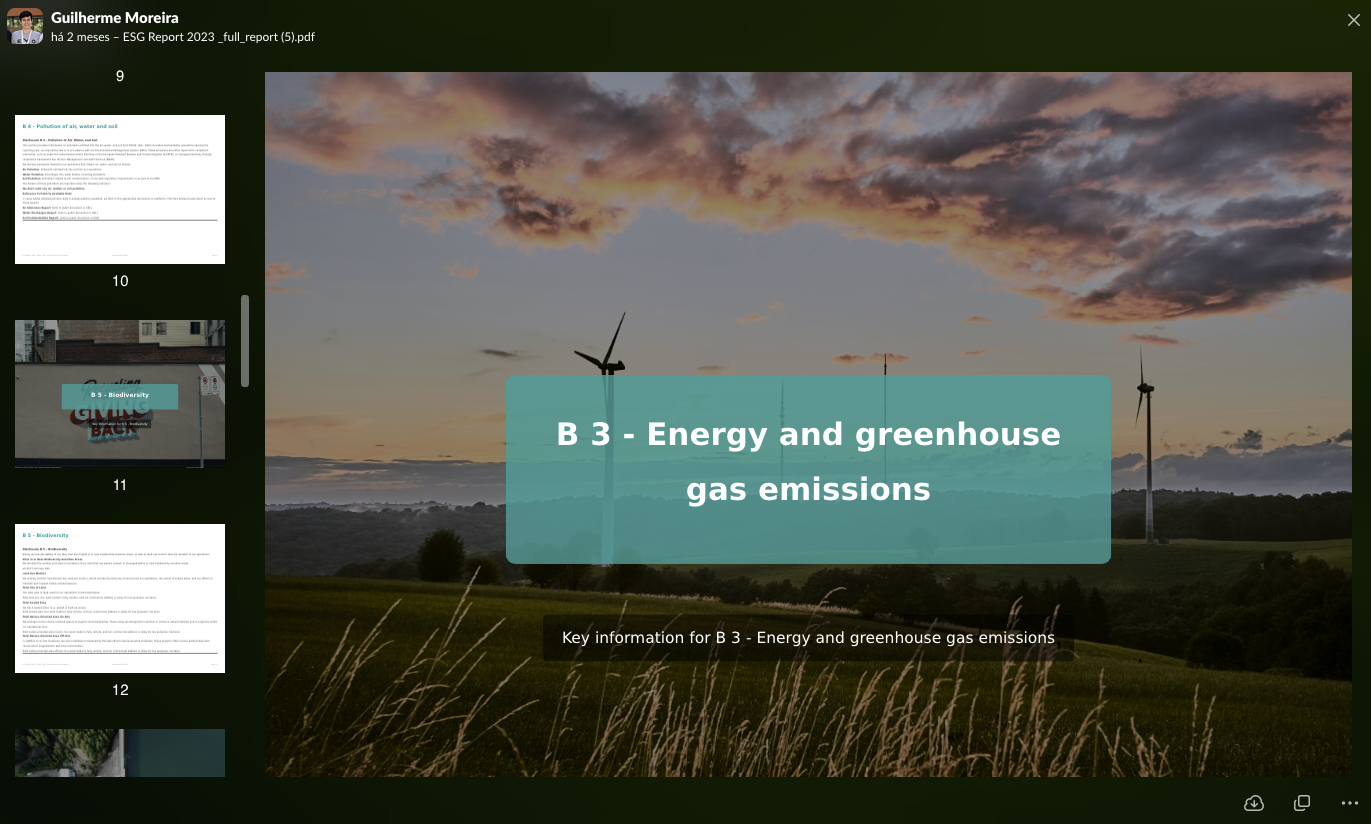
- Download PDF version
- Share with stakeholders
- Publish as a website (coming soon)
Best Practices
- Review each section thoroughly
- Use AI suggestions wisely
- Maintain consistent formatting
- Include executive summary
- Verify all data points
- Add supporting documentation
- Update section statuses regularly
Next Steps
After generating your report:
- Share with relevant stakeholders
- Keep updated with the main Dashboard page
- Plan for next reporting cycle by using our Roadmap tab
- Document lessons learned
- Generate Tasks from Insights
- Follow-up and collaborate in multiple threads from tasks
- Monitor performance of indicators with insights in the Performance tab
- Set up monitoring triggers for next period
- Add Policies, Actions and Targets to your datapoints
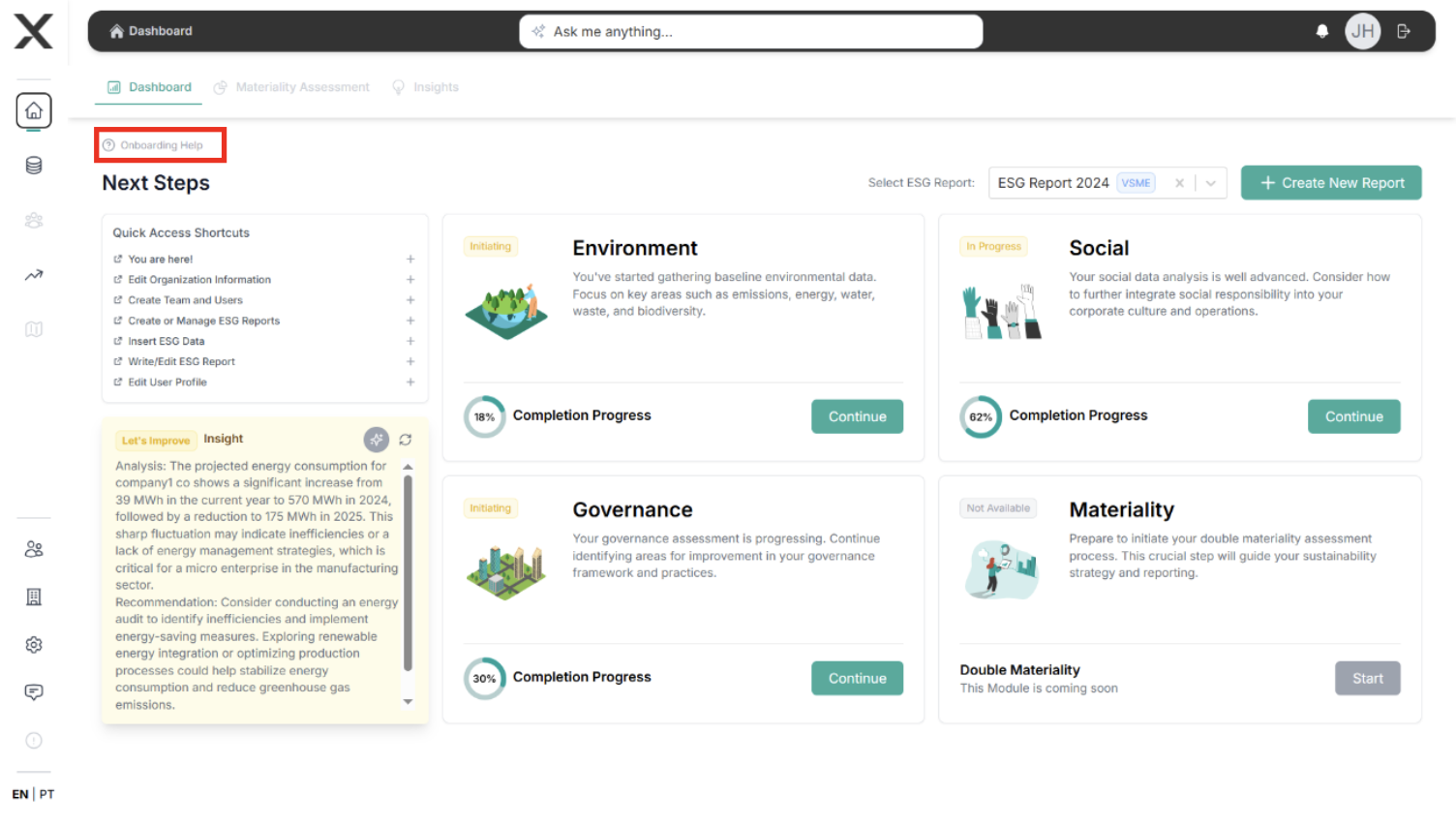
Need assistance? Click on Onboarding Help. Also, our ESG specialists are
available through the in-app chat or at
support@exo-team.com.