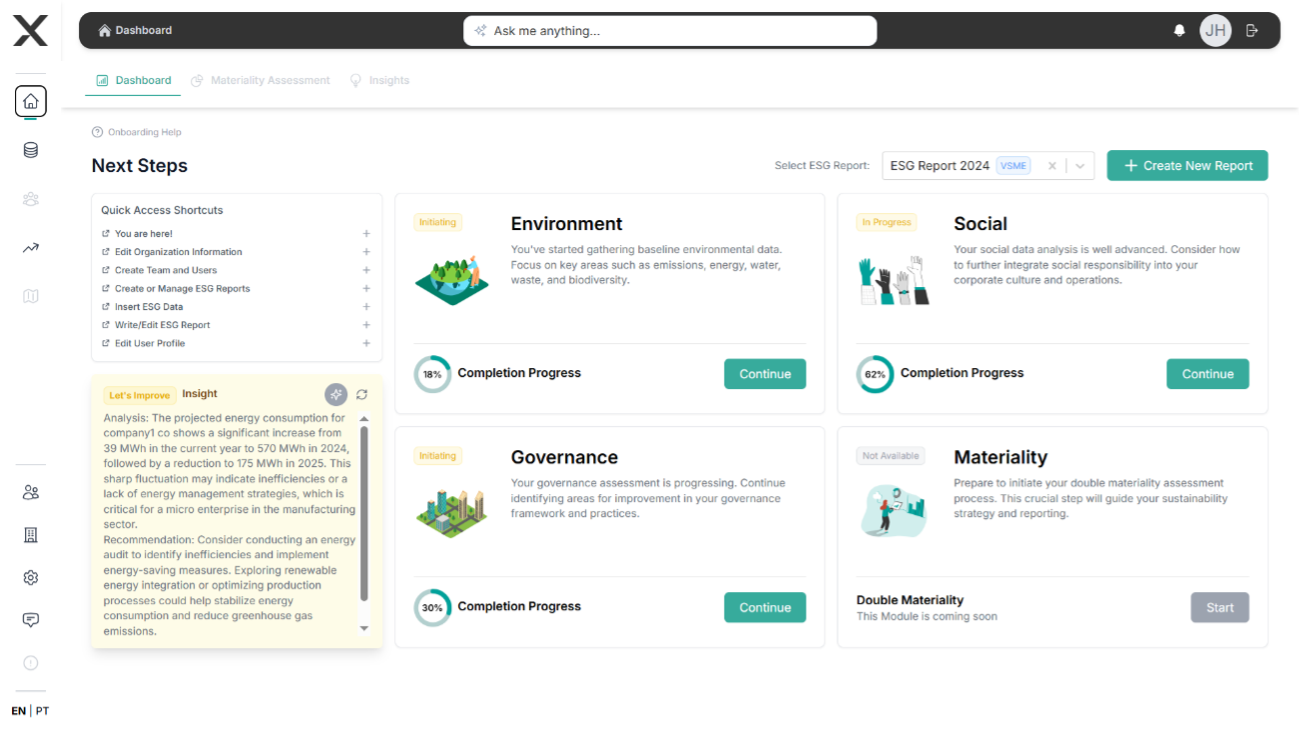
1. Account & Organization Setup
Getting started with EXO.G is quick and straightforward. Follow these steps to create your account and set up your organization.
Creating Your Account
- Visit EXO.G Platform and click the Register Now button.
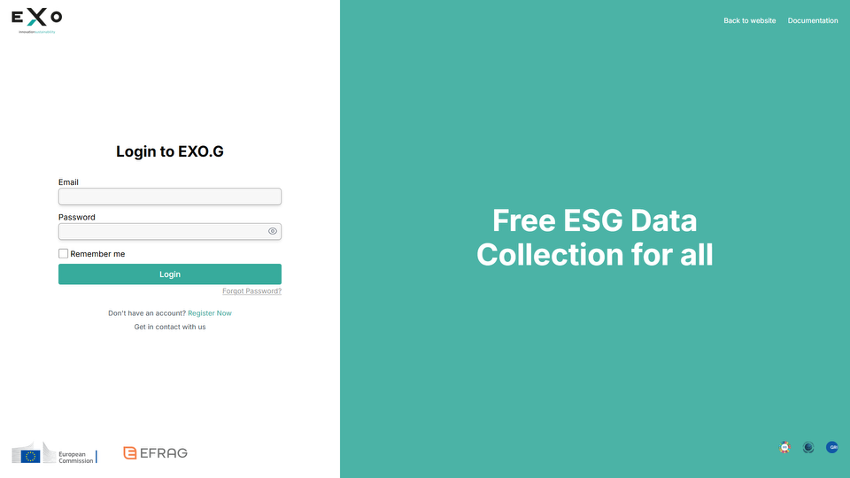
-
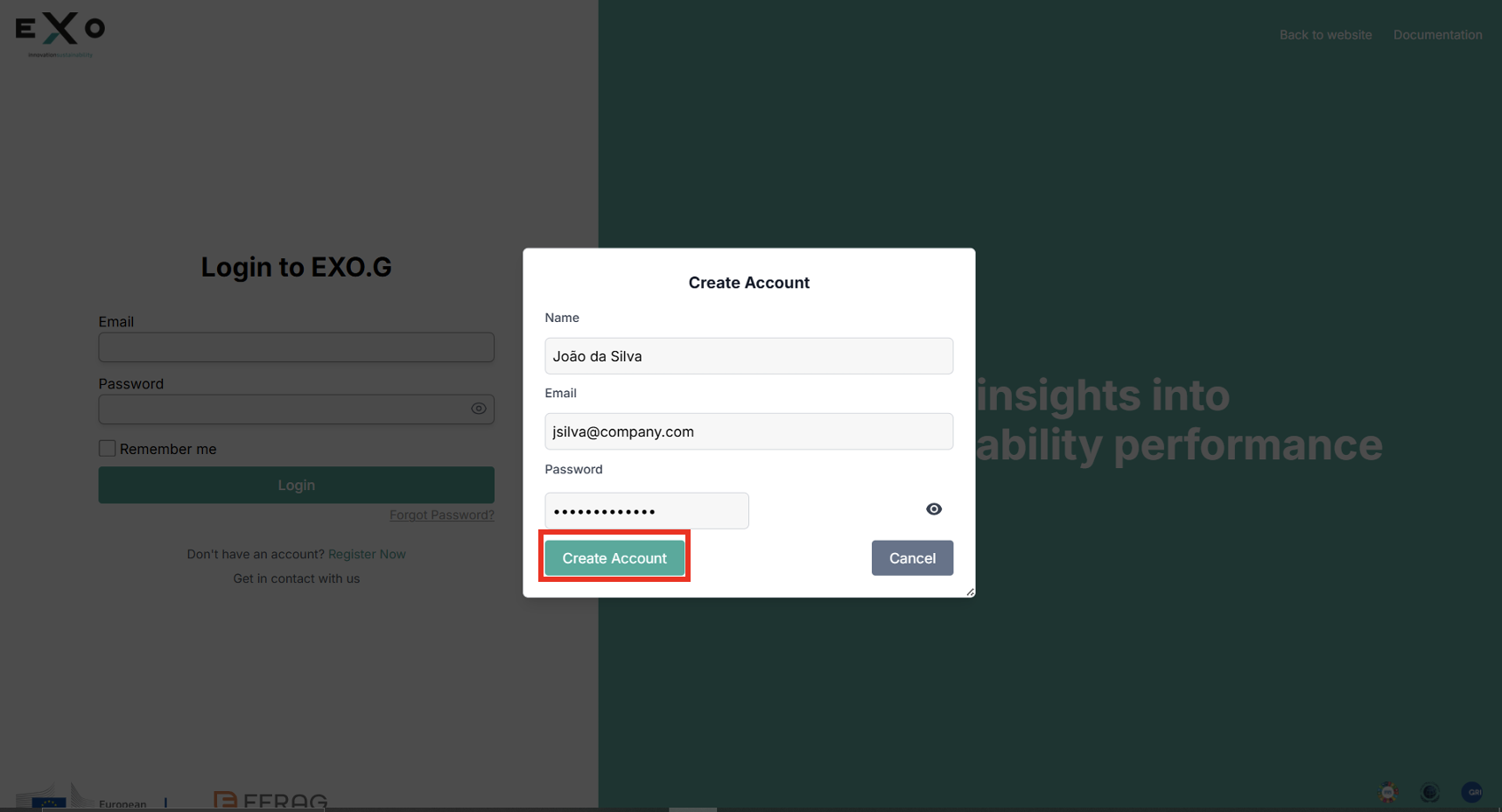
In the registration dialog, enter your:
- Full name
- Business email
- Password
-
Click Create Account to proceed.
Organization Setup
After creating your account, you'll be redirected to the organization setup page.
-
Enter your organization's details:
- Organization Legal Name
- Legal Form
- Organization Size
- Primary Country of Operation
- Sector of Operation
- VAT Identification Number
-
If your organization is listed on a stock exchange, check the corresponding box.
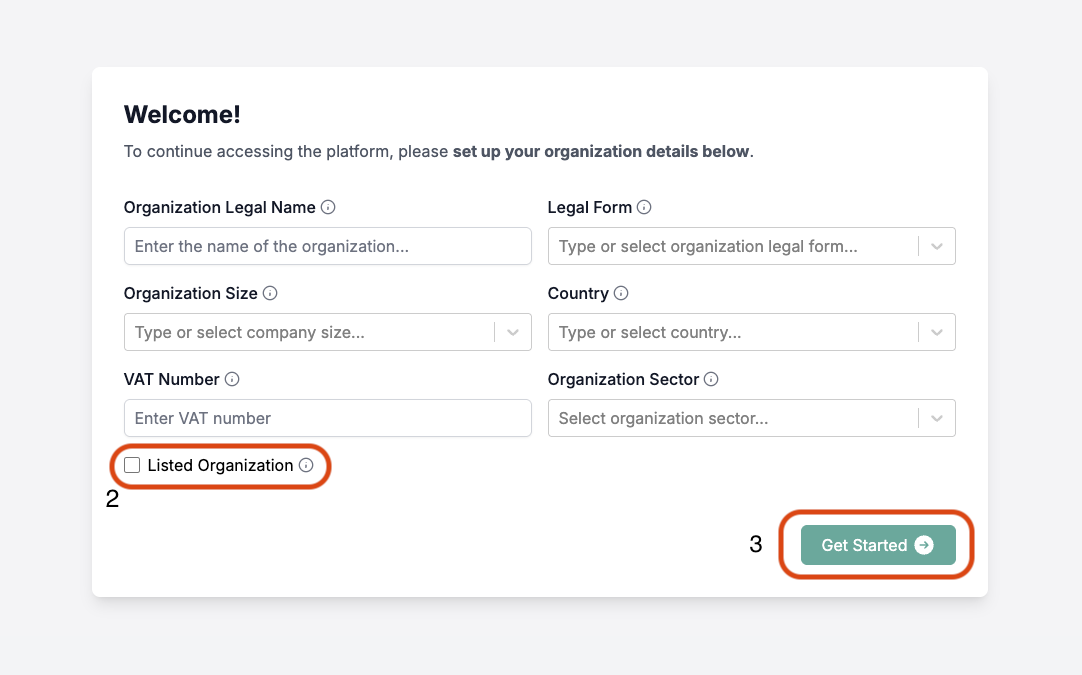
- Click Get Started to complete the setup.
Next Steps
After completing your account and organization setup, you can:
Need help? Click the Onboarding Help button at any time to access our interactive guide.